
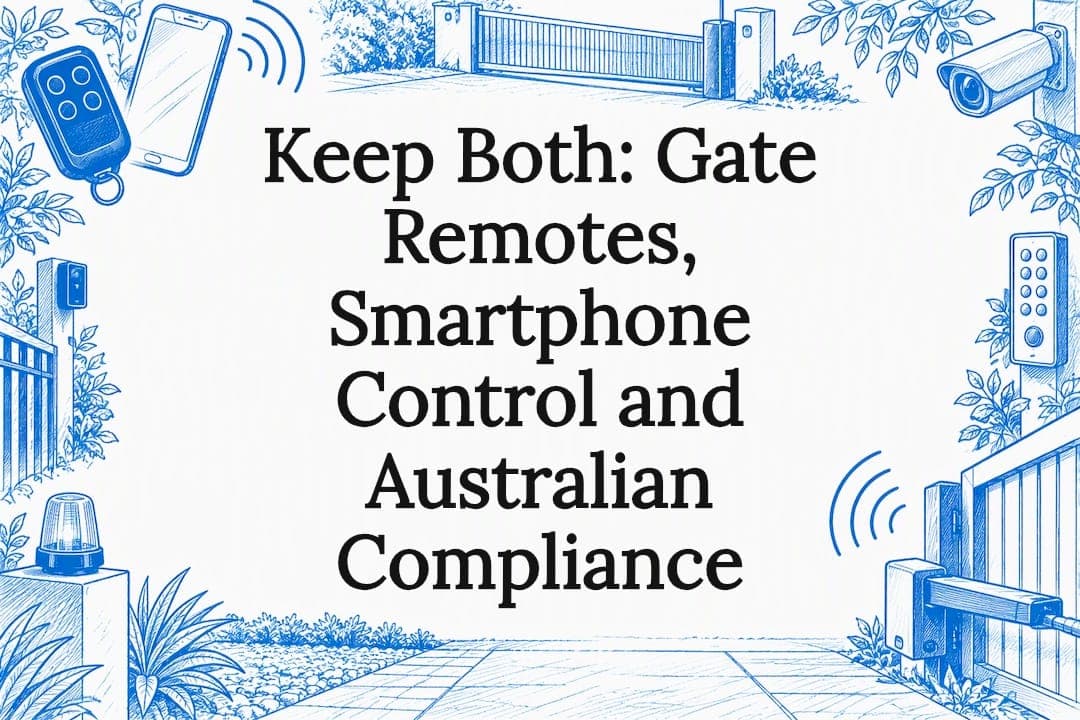
For most homeowners who want to open a gate from away, manage multiple users or see who came and went, smartphone control is the better upgrade, but it works best alongside a conventional remote, not instead of it. If you have a settled household and no need to grant or revoke access remotely, a traditional remote alone remains a perfectly sound choice.
TL;DR:
- Bluetooth controllers work near the gate without internet; connected systems offer temporary keys and entry logs remotely, but depend on internet and cloud service.
- Before buying a controller, have an installer check your control board model, spare low voltage inputs, receiver space, and weather protection, because compatibility varies.
- For rentals and share houses, digital access can be revoked quickly; keep a keypad or remote for guests when apps or connections fail.
- Keep a conventional remote or keypad as fallback, since app access can fail when your phone battery, internet, or cloud service is unavailable.
- For connected controllers, set a unique password, disable unused features, and use a guest network where possible; check ongoing firmware support before purchase.
Table of Contents
- How smartphone gate control works: Bluetooth, Wi‑Fi and RF‑copying hubs
- What a traditional gate remote is and why it still matters
- Technology comparison: Bluetooth, Wi‑Fi and RF‑copying hubs
- Installation and compatibility: what to check before you upgrade
- Keeping your gate secure, compliant and reliable
- Cost and practical considerations
- Choosing the right setup for your home
- An installer's rule of thumb on remotes versus apps
- How we can help with your gate upgrade
- FAQ
- Sources
How smartphone gate control works: Bluetooth, Wi‑Fi and RF‑copying hubs
Smartphone gate control is not a single technology. It covers a few different approaches, and which one suits you depends on whether you need to open the gate from the driveway or from the other side of the country.
Bluetooth controllers connect your phone directly to a unit near the gate. Because the connection is local, there is no need for home internet, and the module draws very little power. This suits someone who mostly wants to swap a physical fob for their phone while standing within range of the gate.
Direct Wi‑Fi controllers and hub-based systems work differently: they connect the gate to your home network and, through a cloud service, to the internet. That is what lets you open the gate from work, check who used it last night, or hand a visitor a time-limited digital key. The trade-off is a dependency on your router and the manufacturer's cloud service staying online.
A third category, RF-copying hubs or control-board add-ons, sits between the two. Rather than replacing your existing motor or receiver, these devices either mimic the signal your current remote sends or tap into a spare low-voltage input on the control board. That means your existing remotes keep working exactly as before, while the app becomes an additional way in, not a replacement system.
- Bluetooth: local-only, low power, no internet required, ideal for near-field use.
- Wi‑Fi or hub: remote access from anywhere, smart-home integration, relies on internet and often a cloud account.
- RF-copying add-on: runs in parallel with your existing remotes rather than replacing the motor or receiver.
What a traditional gate remote is and why it still matters
A conventional gate remote sends a short-range radio signal directly to a receiver at the gate. There is no app, no account and no internet involved: the remote and the receiver simply recognise each other, the way they have for decades.
That simplicity is the point. A remote keeps working during an internet or power outage (provided the gate has battery backup), it never needs charging, and it is not tied to a phone account that might be logged out, updated or temporarily unreachable. For a lot of households, that reliability is worth more than any extra feature.
The limitations show up around access management rather than day-to-day use. A lost or stolen remote cannot be revoked instantly: someone has to reprogram the receiver or clear the remote database to lock it out. There is no record of who opened the gate or when, and once you are more than a short distance away, a remote simply will not reach the receiver.
- Strength: works independently of Wi‑Fi, mobile data or phone battery.
- Limitation: a lost remote means reprogramming, not a quick tap to revoke.
- Limitation: no activity log and no way to grant temporary or time-limited access.
Technology comparison: Bluetooth, Wi‑Fi and RF‑copying hubs
Each approach suits a different pattern of use, and the right pick usually comes down to how many people need access and whether you ever need to open the gate from somewhere else.
On convenience and user management, Wi‑Fi and hub systems lead by a clear margin. They let you issue a virtual key to a tradesperson for one day, remove a departing housemate's access in seconds, and see a log of every entry. Bluetooth controllers handle multiple users too, but without remote management: you still need to be at the gate, or close to it, for the app to connect. Traditional remotes offer no per-user distinction at all: one button works for everyone who holds one.
On range, Bluetooth and traditional remotes are both strictly local, typically good only for the final few dozen metres. Wi‑Fi and hub systems work from anywhere there is a data connection, which is the whole appeal for holiday rentals or anyone who travels.
Internet dependency runs the other way. Remotes need none. Bluetooth needs none for local use but may need an initial app setup over Wi‑Fi. Wi‑Fi and hub systems are unusable for remote functions if the home internet or the manufacturer's cloud service goes down, though local Bluetooth fallback is sometimes retained on the same device.
Installation complexity scales with capability. A remote and receiver pairing is close to instant. Bluetooth add-ons are usually a straightforward retrofit. Wi‑Fi and hub systems can involve more setup: network configuration, app account creation and sometimes an electrician for wiring into the control board.
- Convenience: Wi‑Fi/hub systems support multiple users, virtual keys and instant revocation; Bluetooth and remotes do not.
- Range: remotes and Bluetooth are near-field only; Wi‑Fi and hub systems work from anywhere with connectivity.
- Dependency: remotes need no internet at all; Wi‑Fi and hub features stop working if the connection drops.
- Installation: remotes are the simplest to set up; Wi‑Fi and hub systems typically need more configuration.
Installation and compatibility: what to check before you upgrade
Most smartphone controllers are add-ons, not replacements. They connect to a spare input on the existing control board or copy the signal of your current remote, which means the motor itself usually stays exactly as it is.
That said, what an installer needs to confirm on site determines how smooth the job goes:
- The make and model of the existing control board, since compatibility varies between manufacturers.
- Whether a spare low-voltage input is available for a wired connection, or whether an RF-copying approach is more practical.
- Where the receiver and any new module will sit, and whether the enclosure has room and weatherproofing for it.
- Whether the gate has battery backup, since that affects how the smart controller behaves during a power outage.
Homeowners can speed up a quote considerably by preparing a few basics beforehand: knowing whether the gate is sliding or swinging, noting the motor brand and model if it is visible, counting how many remotes are currently in use, and taking a few clear photos of the control board and the gate itself. Our guide on the checks that decide whether a gate can be automated covers this in more depth, and the installer steps behind choosing gate access control options walk through how a technician narrows down the right fit for a given site.
Keeping your gate secure, compliant and reliable
Adding a connected device to your gate means treating it like any other piece of home network equipment, not a sealed-off gadget. Cyber recommends setting a unique password rather than leaving a default one in place, disabling features you do not use, and isolating smart devices on a guest network where possible rather than your main home network. The same guidance suggests the device's web management interface should stay local-only unless you specifically need remote management.
Manufacturers carry responsibility here too. The Secure by Design guidance for manufacturers advises closing unnecessary ports once setup is finished, defaulting management interfaces to local access only, and keeping logs of remote access so an audit trail exists if something goes wrong.
Radio compliance matters as well. Short-range devices, including many gate controllers, fall under the Radiocommunications (Low Interference Potential Devices) Class Licence, which sets the permitted frequencies, power levels and operating constraints these devices must stay within. A device operating outside those parameters may risk interference with other equipment and may not comply with the licence conditions.
Pro Tip: Keep at least one conventional remote in the car or at the front door. It is the one access method that does not care about your phone battery, your Wi‑Fi, or whether an app update has gone sideways.
From 4 March 2026, new consumer smart devices sold are expected to ship with unique passwords rather than a shared default, part of a broader push toward secure-by-design IoT standards. That shift makes it worth checking a controller's update support before you buy one, since a device the manufacturer stops updating becomes a long-term weak point regardless of how secure it was on day one.
Operational reliability comes down to redundancy: keep a working remote or keypad as a manual override, and make sure lost or compromised credentials can be revoked immediately rather than requiring a wait.

Cost and practical considerations
Budgeting for smartphone gate control usually involves a few separate line items rather than one flat figure. The add-on module or hub itself is one cost, installer labour for fitting and configuring it is another, and any wiring or enclosure work needed to protect the unit from weather adds a third. Some systems also carry an optional subscription for cloud features such as extended activity logs or remote video.
- Hardware: the smart controller or hub itself, typically the smallest line item.
- Labour: installer time to fit the module and connect it to the existing control board or RF signal.
- Ongoing: occasional battery replacement, router reliability, and any subscription tied to cloud features.
- Longevity: manufacturer support for firmware updates matters more over time than the initial purchase price.
A basic plug-in adapter can be a sensible short-term fix if you already have reliable wiring and just want remote access added quickly. A fully integrated package, set up and supported by a professional installer, tends to be better value over several years, since it is matched to your specific motor and control board from the outset rather than adapted after the fact.
Choosing the right setup for your home
A quick set of questions narrows the decision fast: do you need to open the gate when you are not on the property, how many people need access and how often does that list change, how much do you want your gate to depend on the internet, and what is your budget for the upgrade.
- Single household, fixed users: keep your existing remotes and add Bluetooth control if you simply want the convenience of using your phone near the gate.
- Holiday rental or share house: smartphone control with user management is worth it, paired with a keypad as a local backup for guests without the app.
- Commercial or multi-tenant site: a professionally integrated system with proper activity logs and a stable network is the better long-term fit.
Before committing, ask any installer five things: whether the controller is compatible with your existing motor and control board, what the fallback method is if the internet or app fails, how the manufacturer handles firmware updates, what warranty and ongoing support come with the installation, and a realistic timeline and cost estimate for the job.
An installer's rule of thumb on remotes versus apps
Our approach in the field is to preserve what already works and add smart features as a bridge, not a replacement. A control board that has run reliably for years does not need to be torn out just to add an app: the better path is almost always a non-destructive add-on that lets the existing remotes keep functioning exactly as they always have.
The rule of thumb I give homeowners is simple: add smartphone control for the management features, the logs, the remote access, but never let it become the only way in. A gate is a piece of physical security, and physical security benefits from a method that does not depend on a phone, a password or someone else's server staying online. If you are weighing an upgrade, a site check from a qualified installer will tell you quickly what your existing gate can support.
— Rhys
How we can help with your gate upgrade
We design, build and install gate automation across residential, commercial and industrial properties. Because we handle design, fabrication and installation under one roof, we can coordinate these parts of your project.
- Automation & Access Controls: tailored access control solutions for your gate.
- Installation and Repairs: fitting new controllers to existing motors and control boards, or servicing what is already in place.
- Request a Design Consult: a site visit to confirm compatibility and recommend the right setup for your gate.
If you want a straight answer on what your gate can support, request a quote through our automation and access controls page and we will talk you through the options for your property.
FAQ
Can I use my phone as a gate remote?
Yes, many gates can be fitted with a Bluetooth or Wi‑Fi add-on that lets your phone trigger the gate the same way a physical remote does. Compatibility depends on your existing control board, so it is worth confirming with an installer before buying a controller.
Can I open my automatic gate with my phone?
In most cases, yes, provided a compatible controller or hub is added to your existing system, since the motor itself usually does not need replacing. Whether you can open it from anywhere or only while standing near the gate depends on whether the controller uses Bluetooth or Wi‑Fi.
Can I open a gate using a phone app?
A phone app can open a gate when it is paired with a Wi‑Fi or hub-based controller connected to your home network and a cloud service. This setup also typically allows user management and activity logs, which a basic remote cannot offer.
What is the best gate opener system?
The right setup depends on how you use the gate: a traditional remote is the simplest and most reliable option for a settled household, while adding smartphone control makes sense if you need remote access, multiple users or the ability to revoke access instantly. Most homeowners get the best result from combining both rather than choosing one over the other.
Sources
For anyone deciding what controller to install, the most useful sources are government guidance rather than product marketing. Cyber.gov.au publishes advice on securing IoT devices and secure-by-design guidance for manufacturers, while the ACMA sets out the radiocommunications class licence conditions that short-range gate devices must operate within.