
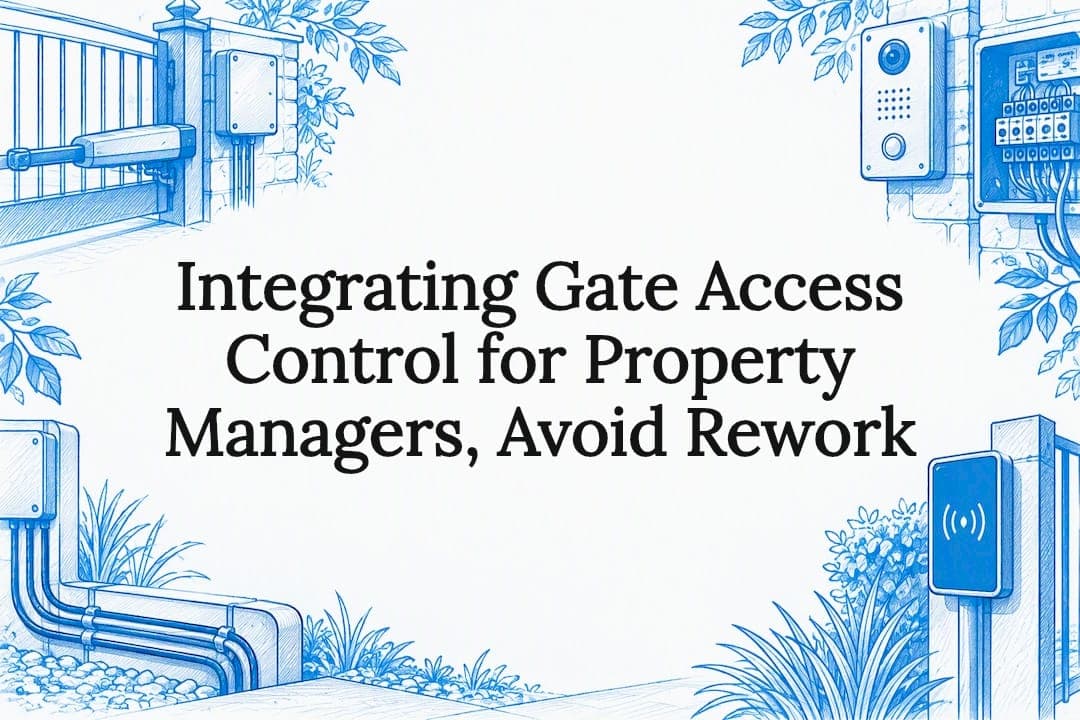
Yes, you can integrate gate automation with access control and intercom systems to deliver auditable remote entry and a reliable release workflow. The core components are an intercom, an access control panel, a relay or gate controller, credentials and a logging system. If you manage a property, the right first move is a site audit with an installer who can map your existing hardware before specifying anything new.
TL;DR:
- Using dry-contact relay interfaces is recommended for gate release due to fewer failure points compared to IP or API triggers.
- Keep access control network traffic on a separate segment from guest Wi-Fi to prevent disruptions and ensure security.
- Proper site audit and early design decisions about credential types, wiring, and hardware compatibility reduce rework and long-term faults.
- Power and safety standards like AS 5007 require photocells, emergency stops, and proper grounding to ensure safe operation and compliance.
- Regular maintenance tasks such as checking wiring, logs, and sensor calibration help prevent faults and maintain reliable gate operation.
Table of Contents
- Core components and how they connect
- Common workflows from visitor call to scheduled entry
- Best practices for reliable and secure integration
- Choosing hardware that supports integration
- Safety requirements and standards for powered gates
- Step-by-step plan from site audit to handover
- Maintenance and troubleshooting for common faults
- Why coordinated design and installation matters
- Get a site audit and design consult
- FAQ
- Sources
Core components and how they connect
Every integrated gate system relies on a handful of devices that need to talk to each other reliably. Getting the signal path right matters more than any single brand of hardware.
The intercom or door station is usually the first point of contact for a visitor. It can trigger a relay through several methods: DTMF tones from a phone call, a simple dry contact closure, or a command sent over an IP API. According to the Security Industry overview of access control systems, simple relay or dry-contact interfaces are often preferable for gate release, with IP or API integrations reserved for features that need central logging or finer control.
The access control panel is the brains of the system. It manages credentials, enforces schedules and keeps an audit log of who entered and when. Nedap Security notes that enterprise platforms can also connect to biometric readers and video systems, letting you revoke access centrally rather than chasing physical keys.
The relay or gate controller sits between the access decision and the motor. Spare relay outputs matter because they let you add a second gate, a pedestrian door or a boom gate later without rewiring the whole panel.
- The intercom captures the visitor request and passes a trigger signal to the relay.
- The access panel checks credentials, schedules and permissions before authorising release.
- The relay or gate controller converts that authorisation into a physical motor command.
- Cameras and logs provide a verification trail for disputes or incident review.
- Networked (IP) connections offer richer features; hardwired dry contacts offer simplicity and fewer failure points.
Common workflows from visitor call to scheduled entry
Most integrated systems run one of a small number of workflows, and recognising which one applies to your site makes specification much easier.
- A visitor presses the intercom button, the call routes to a landline, mobile or app, and the resident or manager releases the gate by pressing a key or sending a DTMF tone; 4G or SIM-based intercoms achieve the same result without site cabling, as described in the Aristel AN1808-08 user guide.
- A resident or staff member opens a mobile app, receives a push notification for an incoming visitor, and sends an unlock command directly to the gate controller.
- A known user presents a proximity card or enters a PIN at a reader, the access panel checks it against its database and the event is logged centrally.
- A delivery driver or contractor is granted a scheduled or time-limited credential that expires automatically after the job is done.
- Single-family homes typically need only one or two of these paths, while multi-tenant sites often run several in parallel, with separate credential tiers for residents, staff and visitors.
The practical difference between a single-family property and a multi-tenant block is scale and accountability. A share-house or apartment complex needs individual logging per unit, whereas a standalone home mostly needs a reliable release path and a record of who opened the gate and when.
Best practices for reliable and secure integration
A gate integration that works on installation day but fails six months later is usually a wiring or network problem, not a hardware fault. A few habits head off most of these issues.
- Favour dry-contact relay interfaces for straightforward releases: fewer points of failure than IP-based triggers.
- Keep access control traffic on its own network segment, separate from guest Wi-Fi, and document any VLANs used for IP intercoms or readers.
- Define fail-safe (unlocks on power loss) versus fail-secure (stays locked) behaviour explicitly for every gate, and label it in the handover documentation.
- Keep timestamped logs of every release event, including who or what triggered it.
- Test DTMF response, relay activation timing and network stability as separate items during commissioning, not just as a single "it opened" check.
Pro Tip: Label every relay output and its associated gate on the wiring diagram the day it's installed, not months later when you're troubleshooting a fault from memory.
Commissioning is where most long-term reliability is won or lost. A checklist that covers wiring verification, DTMF or API response testing, relay timing and network stability catches the faults that would otherwise surface as a frustrated resident locked out on a wet Tuesday night.
Choosing hardware that supports integration
The motor, controller, intercom and reader you choose all need to support the interfaces your workflow depends on, not just operate the gate itself.
- Match motor and controller output to the gate's weight, type and required force; a heavy sliding gate needs a different drive to a light swing gate.
- Look for controllers with spare relay outputs, tamper inputs and support for protocols such as Wiegand, OSDP or a documented API, depending on what your management platform expects.
- Choose between IP/PoE intercoms, which need stable site networking, and 4G/SIM intercoms, which rely on mobile coverage but avoid data cabling entirely.
- For readers, decide whether you need mobile credential support, specific proximity card types, or biometrics for higher-security sites.
- Check enclosure ratings, surge protection and weatherproofing: gate hardware sits outdoors and takes the full brunt of the weather.
Our automation and access control projects typically start by matching these specifications to the gate type before any controller or intercom is ordered, since retrofitting a mismatched controller is far more expensive than specifying correctly the first time.
Safety requirements and standards for powered gates
Powered gates are machinery, and treating them as such protects both people and your liability position. AS 5007 sets out design, testing and commissioning requirements for powered pedestrian doors and gates, covering drive units, leaves and associated components.
- Photocells and safety edges to detect obstructions before the gate closes on a person or vehicle.
- Entrapment protection zones and an accessible emergency stop.
- Correctly earthed wiring and surge protection on both mains and low-voltage circuits.
Documented testing and a signed handover reduce long-term faults and insurance exposure, since standards guidance stresses verification, marking and commissioning as part of a compliant installation, not an optional extra.
Step-by-step plan from site audit to handover
A structured sequence turns a vague integration idea into a system that works the first time it's tested.
- Site audit: measure the gate opening, confirm power availability at the post, check mobile or Wi-Fi coverage for the intercom, and mark where photocells and safety edges will sit.
- Design decisions: choose between a dry-contact or IP/API interface, decide on your credential model (cards, PINs, mobile, or a mix) and confirm what logging your access panel needs to produce.
- Cabling and power: run conduit for low-voltage control cable, size a backup battery for outages, and fit surge protection at both the gate end and the panel end.
- Installation: mount the motor and controller, wire the relay and tamper circuits, and position any 4G antenna where reception is strongest, checking the intercom's user guide for antenna placement guidance.
- Commissioning: run functional tests on every workflow, DTMF or app release, scheduled access, and emergency stop, then enrol users and hand over documentation covering wiring, fail-safe settings and maintenance intervals.
Pro Tip: Test the gate's release workflow at the time of day you expect heaviest use, since network congestion and mobile signal can behave differently during peak hours than during a quiet mid-morning commissioning visit.
Skipping the design-decision step is the most common cause of rework. Choosing the credential model after the controller is already wired usually means re-terminating cable or swapping a reader, both of which cost more than getting the decision right up front.

Maintenance and troubleshooting for common faults
A short routine keeps most gate integrations running without a service callout.
- Check gate movement, track and rack wear, sensor calibration and clear any vegetation that could block a photocell beam.
- Review access logs periodically, apply firmware updates, and check battery health and SIM signal strength on 4G intercoms.
- If a relay isn't triggering, check the wiring connection and the panel's output voltage before assuming the motor has failed.
- If DTMF release fails, confirm tone settings and mobile reception, both flagged as common fault points in intercom troubleshooting guidance.
- Escalate to a certified installer when network dropouts persist, and bring copies of the access log and any error codes from the panel.
Why coordinated design and installation matters
Most gate integration problems we see didn't start as hardware failures. They started as mismatched components bought separately and wired together after the fact. Handling design, fabrication and installation as one project, rather than three separate purchases, removes most of the guesswork around relay compatibility and credential models before a single cable is run. A documented site audit at the start is worth more than any single piece of hardware you'll choose afterwards.
— Rhys
Get a site audit and design consult
We coordinate design, fabrication and installation of gate automation and access control to specify intercoms, relays, controllers and credentials to work together from the start rather than patched together later. Our automation and access controls service covers commissioning and ongoing maintenance as well as installation, and our residential gates and fencing and commercial and industrial teams handle everything from a single driveway gate to a multi-tenant site.
If you're planning an integration, request a design consult and we'll start with a site audit to map your existing hardware before recommending anything new.
FAQ
What is the best access control system for gates?
There's no single best system: the right choice depends on your gate type, number of users and whether you need central logging or just a simple release. A dry-contact relay interface paired with a panel that supports your required credential types, cards, PINs or mobile, is a reliable starting point for most residential and commercial sites.
Can I control my gate using my phone?
Yes, a mobile app can send an unlock command directly to a compatible gate controller, or you can release the gate by responding to an intercom call on your phone. Some intercoms use a 4G SIM card to accept calls or SMS commands from a mobile phone without needing site data cabling, as outlined in the Aristel intercom user guide.
What is gate access control?
Gate access control is the combination of hardware and software that decides who can open a gate, when, and keeps a record of each event. It typically pairs an access control panel managing credentials and schedules with a relay or gate controller that executes the physical release, as described in the Security Industry's overview of access control.
What is the best gate intercom system for residential use?
For a single-family home with reliable Wi-Fi or ethernet at the gate post, an IP intercom gives you app-based calling and video. Where running network cable isn't practical, a 4G or SIM-based intercom is a solid alternative, since it only needs mobile coverage and can trigger a relay by call or SMS.
How much does gate access control integration cost?
Costs depend on the gate type, chosen interface and site conditions, so pricing is best confirmed through a site-specific quote rather than a general figure. Our automation and access controls page and design consult option are the way to get pricing specific to your property.
Sources
- Overview of Access Control Systems - Security Industry
- What is an access control system? | Nedap Security
- AN1808-08 4G audio intercom system user guide (Aristel)
- AS 5007-2007 Powered doors for pedestrian access and egress (excerpt)