
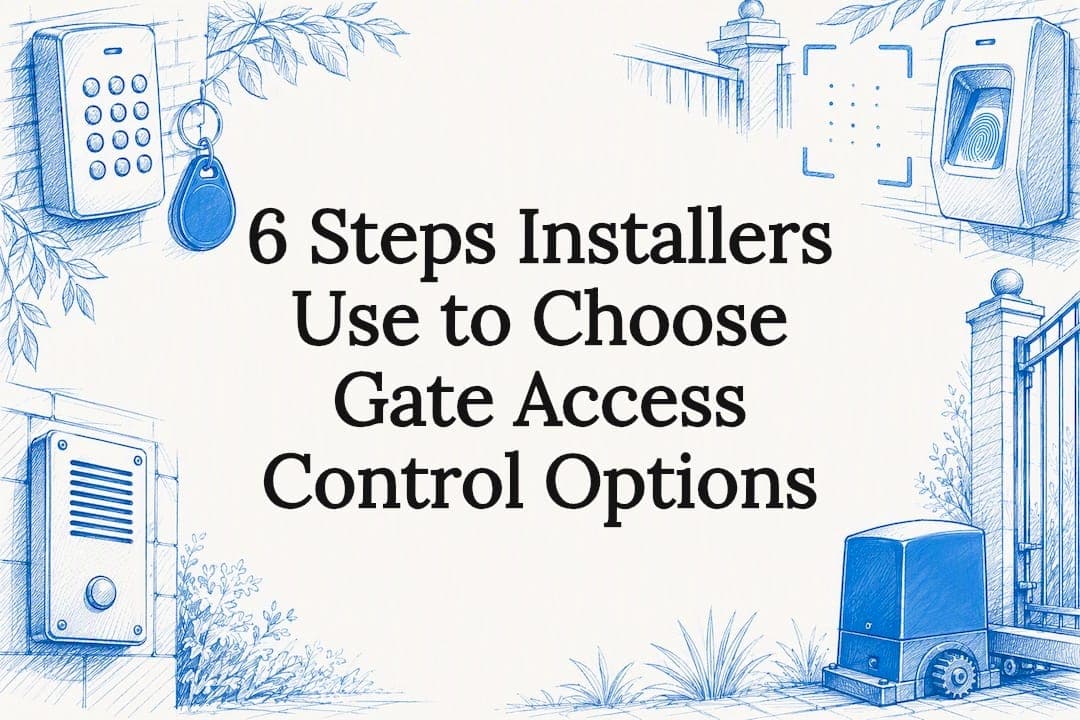
Keypads suit low-traffic residential gates, RFID and fob credentials fit multi-unit or managed properties that need accountability without complexity, and biometric or licence-plate systems earn their cost at high-security commercial sites. Mobile and cloud-based access now bridges most of these categories, adding visitor management and remote control to whichever hardware sits at the gate. The right pick depends on traffic type, staffing, and how much resilience you need during a power outage, all covered in the decision checklist further down.
TL;DR:
- Keypad systems are best suited for low-traffic residential gates with predictable users, but frequent code changes require physical access to the device.
- RFID card and fob readers provide better accountability by tracking individual credentials, though they involve ongoing costs for card management and are vulnerable to cloning if using older formats.
- Biometric readers offer high security but are costlier, less reliable outdoors, and raise privacy concerns, making them suitable mainly for high-security commercial sites.
- Mobile and cloud-based access enable remote management and visitor control but depend on subscription fees, internet connectivity, and resilience during outages.
- Proper site assessment, backup power, and tailored credential strategies are critical for reliable, compliant gate access system installation.
Table of Contents
- Keypad and PIN systems: what they are and where they fit
- RFID card and fob readers: accountability without complexity
- Biometric readers: fingerprint and facial recognition trade-offs
- Mobile and cloud-based access: phones, apps and QR codes
- Intercoms, callboxes and visitor verification
- Vehicle detection and licence plate recognition for vehicle gates
- Wired vs wireless installation, power loss and safety standards
- Integrations and management: cameras, intercoms and dashboards
- How to choose the right gate access option
- What a local gate automation specialist actually checks on-site
- When a DIY kit is fine and when it is not
- Getting the right access control installed, not just specified
- Sources
- FAQ
Keypad and PIN systems: what they are and where they fit
A keypad system asks for a numeric code before it releases the gate lock or triggers the motor. It is the oldest form of electronic gate access and still the most common on small residential and light commercial properties, mainly because it needs no cards, fobs, or phones to manage.
There are two broad hardware types. A standalone keypad holds its own code list and wiring runs straight to the gate motor or lock, with no central controller involved. A controller-connected keypad reports to a small access panel or cloud dashboard, which allows multiple codes, activity logs, and remote code changes. Standalone units cost less and install faster, but every code change means a trip to the keypad itself.
Installation is straightforward on a new gate with power already run to the post, since the keypad wires directly into the motor's control board. Retrofitting an older gate is more involved: you need a weatherproof enclosure, a cable run back to the motor (or a wireless keypad with its own battery and radio link to a receiver), and a way to protect the wiring from vehicle strikes and weather. Many multi-function keypads sold in Australia now combine RFID, fingerprint, and Wi-Fi app connectivity in a single IP-rated unit, which lets a property run a keypad and a card reader off the same hardware rather than installing two separate devices.
The main weakness of any keypad is the shared code. Once a number is known to more people than intended, it tends to circulate, and there is no way to tell which person used it. Two mitigations help. Unique per-user codes, where the hardware supports them, let you revoke one person's access without changing the code everyone else uses. One-time or time-limited codes work well for tradespeople, cleaners, or short-term visitors, since they expire automatically after a set period instead of needing manual removal.
Keypads suit gates with predictable, known users, like a family home, a small block of units with a handful of residents, or a warehouse loading gate used by the same drivers each week. They are a poor fit where visitor turnover is high or where you need to know exactly who entered and when, since a shared code cannot provide that record.
- Standalone keypads cost less upfront and need no ongoing subscription, but every code change requires physical access to the unit.
- Controller-connected keypads support multiple codes and logs, at a higher installation and management cost.
- Wireless keypads avoid a cable run to the gate but rely on battery power and a clear radio path to the receiver.
- Combination units with RFID or fingerprint readers built in reduce the number of separate devices at the gate post.
The most common pitfall is treating a keypad as a permanent solution for a site whose user base keeps changing. A code that was meant for one tenant often stays live long after they have moved out, simply because nobody remembers to change it. If your property turns over tenants, staff, or contractors regularly, factor that ongoing administration into your decision rather than assuming a keypad is "set and forget".
RFID card and fob readers: accountability without complexity
RFID readers work by detecting a small chip embedded in a card, fob, or sticker when it passes close to the reader. Each credential carries a unique identifier, so the system (or an administrator) can tell which credential opened the gate and when, something a shared keypad code cannot do.

Credential lifecycle is the main ongoing task. New residents or staff get a card issued and linked to their name in the system; when they leave, that specific card is deactivated rather than requiring every other user to get a new code. Lost or damaged cards get replaced individually, and most sites keep a small stock of spares on hand. This per-user structure is what industry buyer guides point to as the main operational overhead of fob systems: inventory, issuing, and replacement all cost time and a per-card fee, even though the reader hardware itself is relatively simple.
Cloning is the recognised weak point of older RFID formats, particularly low-frequency 125kHz cards, which can be copied with inexpensive readers. Higher-frequency and encrypted card formats are far harder to clone, and pairing card access with a PIN or a second factor closes most of the remaining gap for higher-security sites.
- Cloning risk is highest with older low-frequency cards; encrypted or high-frequency formats reduce it substantially.
- Replacement workflow should be simple: a five-minute process to deactivate a lost card and issue a new one, not a full system reconfiguration.
- Per-user cost adds up across a large resident or staff base, so budget for ongoing card stock, not just the reader.
- Audit logs are the main advantage over keypads, useful anywhere you need to know who came and went.
RFID suits managed apartment blocks, gated estates with a body corporate, and commercial sites with a stable staff list, anywhere the accountability of an individual credential outweighs the modest extra administration. It is a less natural fit for a single-family home, where a keypad or a mobile credential usually covers the need with less overhead.
Biometric readers: fingerprint and facial recognition trade-offs
Biometric readers verify a fingerprint or a face rather than something a user carries or types in. The appeal is obvious: nothing to lose, share, or clone in the way a card or code can be.
Fingerprint readers are generally reliable indoors but struggle outdoors with wet, dirty, or gloved hands, which matters for a gate exposed to weather. Facial recognition avoids the contact problem and copes better with dirty hands, but accuracy can drop in poor lighting, at odd camera angles, or when a person is wearing a hat or mask. Neither method is infallible in outdoor conditions, so most installers pair a biometric reader with a card or keypad backup for when the primary read fails.

Privacy and data storage matter more with biometrics than with any other credential type. Some readers store fingerprint or face templates locally on the device, with nothing transmitted off-site. Others sync templates to a cloud platform for multi-site management, which raises questions about where that data lives and who can access it. For any commercial deployment, ask the installer specifically whether templates stay on the device or leave the site, since that answer affects your privacy obligations to staff and visitors.
Costs sit higher than keypad or RFID hardware, and outdoor-rated biometric units cost more again. Maintenance is mostly about keeping the sensor clean and recalibrated, since dust and grime are the most common cause of failed reads over time.
- Fingerprint readers perform best in sheltered, indoor-adjacent locations and struggle with wet or dirty hands outdoors.
- Facial recognition avoids contact issues but needs decent lighting and an unobstructed camera angle.
- Local template storage avoids most privacy concerns; cloud-synced templates need a clear data policy.
- Backup credentials (a PIN or card) are standard practice alongside biometrics for when a read fails.
Biometrics earn their cost where the highest level of individual accountability matters, such as a secure commercial yard, a server or plant room gate, or a site handling sensitive materials. For a typical home or a low-traffic office gate, the extra cost rarely buys enough over a well-managed RFID or mobile system to justify it.
Pro Tip: Specify a biometric reader with a weatherproof rating and a non-biometric backup credential before you sign off on a quote, not after installation.
Mobile and cloud-based access: phones, apps and QR codes
Mobile and cloud-based systems replace or supplement physical credentials with a smartphone app, a QR code, or a virtual pass sent by text or e-mail. The gate hardware talks to a cloud platform instead of (or alongside) a local controller, and the phone becomes the credential.
This shifts much of the hardware burden off the gate itself. Rather than a bank of physical readers, a single gateway device or a Wi-Fi-connected controller handles requests from an app, and cloud-based platforms can issue visitor passes and temporary codes without anyone visiting the site to reprogram a keypad. Every open and close event is logged automatically, which gives property managers an audit trail with none of the manual admin a keypad or basic fob system needs.
The trade-off is ongoing cost and dependency. Most cloud platforms run on a subscription rather than a one-off hardware purchase, and switching providers later can mean replacing hardware that only talks to one vendor's cloud, a form of lock-in worth asking about before you commit. Offline behaviour also varies: some systems keep working locally during an internet outage and resynchronise activity once connectivity returns, while others rely entirely on a live connection to authorise entry. Vendor documentation on this point is worth reading closely rather than assuming.
- Visitor management is the standout benefit: a temporary QR code or app invite replaces handing out a physical key or code.
- Audit trails are automatic, with no manual logging required from staff or residents.
- Subscription costs replace or add to the upfront hardware spend, so factor the ongoing fee into a multi-year comparison.
- Offline resilience differs by vendor: confirm whether the system keeps working, and for how long, if the internet drops.
Cloud and mobile-first access suits multi-entrance properties, short-stay or visitor-heavy sites, and anywhere a manager needs to grant or revoke access remotely without a site visit. A single, rarely-changing household gate rarely needs the subscription overhead this model brings.
Intercoms, callboxes and visitor verification
An intercom or callbox solves a different problem to the credential systems above: verifying an unknown visitor before deciding whether to let them in, rather than authenticating someone who already has a credential.

A traditional directory callbox lists unit or business names against buttons, connecting a visitor to the relevant phone line by an audio-only call. It is durable, simple, and needs no internet connection, but it gives the resident no visual confirmation of who is actually at the gate. A video intercom adds a camera to that call, letting the resident see the visitor before releasing the gate, and a cloud-linked intercom routes that video call to a smartphone app rather than a fixed handset inside the building, so residents can answer from anywhere.
Weatherproofing matters more for a gate intercom than almost any other component, since it sits outside, exposed to sun, rain, and, on a busy street, dust and vibration. A cheaply rated unit is often the first thing to fail on an otherwise solid gate system, well before the motor or the reader.
- Audio-only callboxes are the most durable and offline-tolerant option, at the cost of visual verification.
- Video intercoms let residents see visitors before granting access, a meaningful step up in security.
- Cloud-linked intercoms route calls to a phone app, useful for owners who are not always on-site.
- Weatherproof rating should be checked specifically for the unit's exposure, not assumed from a general spec sheet.
Pairing an intercom with a mobile or cloud access system tends to give the most complete visitor experience: the intercom handles verification, and the resident's phone becomes the tool for both talking to the visitor and releasing the gate.
Vehicle detection and licence plate recognition for vehicle gates
Vehicle gates carry a different problem to pedestrian entries: throughput. A driver waiting to type a code or tap a card holds up traffic behind them, which is why vehicle-focused systems favour hands-free detection.
Licence plate recognition (LPR) uses a camera to read a vehicle's plate as it approaches and matches it against an allow list before triggering the gate. Vehicle RFID tags, mounted inside the windscreen, work on the same principle as a fob but are read at a greater distance, allowing the gate to open before the car fully stops. Both remove the need for a driver to interact with anything at the gate.
Accuracy is the main trade-off with LPR. Dirty, damaged, or unusual plates can fail to read correctly, and most sites keep a backup credential, an intercom call button or a fob reader, for when that happens. Privacy is a secondary consideration: LPR systems capture and often store plate images, so commercial sites should have a clear policy on how long that footage is retained and who can access it.
- LPR cameras offer hands-free entry but need a backup method for misread or damaged plates.
- Vehicle RFID tags read at a longer range than a handheld fob, letting the gate open before the car stops.
- Integration with parking systems allows a single credential to manage both gate entry and space allocation on larger sites.
- Maintenance centres on keeping the camera lens clean and the recognition software updated as plate formats change.
LPR and vehicle tags suit sites with consistent vehicle traffic and a known fleet or resident vehicle list, such as gated estates, logistics yards, and multi-tenant commercial parks. A low-traffic residential driveway rarely needs the expense; a keypad or a simple remote usually does the job.
Wired vs wireless installation, power loss and safety standards
Wired systems connect the keypad, reader, or intercom directly to the gate controller by cable, giving the most reliable signal and the least interference, but limited by how far you can practically run that cable and by the cost of trenching or conduit on an existing property. Wireless systems avoid the trenching but depend on battery life and a clear radio path, and can suffer interference on sites with a lot of metal fencing or nearby equipment.
Power loss is where the real design decisions happen. A gate can be configured fail-safe, meaning it unlocks or opens automatically if power is lost, or fail-secure, meaning it stays locked until power returns. The right choice depends entirely on the site's risk profile: a healthcare facility or any egress-critical space should generally favour safe egress over locked security during a power failure, a principle set out in the NCC's lighting and power control requirements, which also governs manual override behaviour for lighting and access-linked systems during emergencies. A commercial yard storing valuable stock might reasonably choose the opposite.
Backup power closes most of the gap between these two states. A UPS (uninterruptible power supply) keeps a controller and gate motor running through short outages, and a small solar panel with a battery bank extends that further on remote sites with no easy grid connection.
Outage resilience is a top concern when specifying gate access hardware, a reminder that backup power planning is not an afterthought for most buyers.
- Confirm whether the gate is set fail-safe or fail-secure, and whether that matches the site's actual risk.
- Specify a UPS or battery backup rated for at least the site's typical outage duration.
- Ask whether the chosen credential system (keypad, reader, or intercom) still works during a power or internet outage.
- Check that emergency egress and lighting behaviour comply with the relevant building code requirements for the site type.
Integrations and management: cameras, intercoms and dashboards
An access control system rarely operates alone on a well-run site. Linking it to CCTV, intercoms, alarms, and building management systems (BMS) turns isolated credential events into a fuller picture: a gate opening at 2am is far more useful information when it comes with a camera clip attached.
Two protocol choices are worth specifying up front. Wiegand is the older, widely supported signalling standard between a reader and a controller, but it is unencrypted and increasingly considered a weak point on higher-security sites. OSDP is the modern replacement, encrypting reader communication and supporting two-way data, and enterprise-grade readers now commonly advertise OSDP compatibility alongside AES encryption for exactly this reason. Ask for OSDP support on any commercial quote rather than accepting Wiegand by default.
Day-to-day administration is where a system either earns its keep or becomes a burden. Onboarding a new resident or staff member should take minutes, not a support call to the installer. Temporary codes for visitors or contractors need to be easy to issue and to expire automatically. Audit logs should be searchable, and a remote lockdown function, the ability to freeze all access instantly from a phone or dashboard, matters more than most buyers realise until they actually need it.
- CCTV and intercom integration turns a bare access log into a verifiable record of who came and went.
- OSDP over Wiegand closes a known encryption gap on reader communication for commercial sites.
- Remote lockdown should be a one-tap function, not a multi-step process buried in a settings menu.
- Firmware updates need a clear schedule; a reader running years-old firmware is a common, avoidable vulnerability.
Pro Tip: Ask any installer to demonstrate the remote lockdown function on-site before you sign off, not just describe it in the quote.
How to choose the right gate access option
Start by mapping your actual traffic, not your assumptions about it. A pedestrian gate with five known users has almost nothing in common with a vehicle gate handling fifty deliveries a day, and the mismatch between assumed and real traffic is the most common reason a newly installed system disappoints within a year.
- List who needs access and how often: residents, staff, delivery drivers, and occasional visitors each have different needs.
- Separate pedestrian and vehicle requirements: a single credential type rarely suits both well.
- Decide your accountability level: a shared code is fine for a household, but a managed property usually needs individual credentials.
- Set your resilience requirement: how long must the gate keep working during a power or internet outage.
- Confirm your integration needs: video, intercom, LPR, or building systems, before choosing hardware that cannot support them later.
- Get a site survey, not a phone quote: cabling distance, power availability, and mounting conditions all affect what will actually work.
Once you have those answers, put the same questions to every installer you get a quote from.
- Ask what happens to the gate during a power outage, and whether that matches fail-safe or fail-secure behaviour for your site type.
- Ask whether the quoted hardware supports OSDP or only legacy Wiegand signalling.
- Ask for the maintenance and support arrangement in writing, not a verbal assurance.
- Ask whether backup power (UPS or battery) is included in the quote or priced separately.
- Ask to see a similar installation, ideally in person, before committing.
A few responses should give you pause. An installer who quotes without visiting the site is guessing at cable runs and power availability. A vague answer to "what happens if the power goes out" usually means the fail-safe question has not been properly considered for your site. And a quote with no mention of integration, when you have already said you want CCTV or intercom tied in, suggests the system may need costly rework later to add it.
What a local gate automation specialist actually checks on-site
Fifteen years of theory rarely substitutes for a technician standing at your gate with a cable tester. Victorian Gate Automation has spent over 30 years designing, fabricating, and installing custom automatic gates, fencing, and access control systems, and that history shows up most in what gets checked before installation, not just in what gets sold.
Projects often start with locally sourced materials and handcrafted fabrication, an approach intended to ensure the finished gate and its access hardware endure daily use rather than just look right on installation day. On the access control side, that translates into professionally installed systems designed around the property's actual traffic and security needs, not a generic package.
The company's reputation rests on a long run of positive client testimonials built on that same attention to detail: matching hardware to the site, testing fail-safe behaviour before handover, and being reachable when something needs adjusting after the fact. That combination, of custom fabrication and access control expertise under one roof, is what separates a gate that works on day one from a gate that keeps working five years on.
When a DIY kit is fine and when it is not
A basic keypad on a low-traffic residential gate is a reasonable DIY project if you are comfortable with low-voltage wiring and the gate motor already has a compatible input. Anything beyond that, multiple credential types, integration with an intercom or camera, or a vehicle gate with real throughput, moves quickly into territory where a professional installation earns its cost back.
The risk with DIY is not usually the credential itself failing, it is the fail-safe wiring being wrong, the weatherproofing being inadequate, or the gate not meeting emergency egress expectations for the property type. A professional installer tests that behaviour on-site and stands behind it afterwards. For a family home with modest needs, weigh the saved installation cost against the cost of getting the safety wiring wrong; for anything commercial or multi-unit, that trade-off almost always favours hiring a specialist.
— Rhys
Getting the right access control installed, not just specified
Picking the right category of gate access is only half the job. The other half is having someone fabricate and fit it properly, test the fail-safe behaviour on-site, and be around afterwards if something needs adjusting, which is where a DIY kit or a generic installer often falls short.
 Victorian Gate Automation offers automation and access control installation alongside custom gate fabrication, covering everything from a straightforward residential keypad to a fully integrated commercial system with LPR and remote lockdown. Residential and commercial clients can also draw on gate and fencing design built around the site rather than a catalogue part, plus ongoing repairs when hardware ages or a motor needs attention.
A design consult is the right starting point if you are still weighing options. Ask for a proper site assessment, a clear resilience plan covering power outage behaviour, and a credential strategy matched to who actually needs access.
- A site assessment that checks cable runs, power availability, and mounting conditions before any hardware is quoted.
- A resilience plan specifying fail-safe or fail-secure behaviour and backup power where it matters.
- A credential strategy matched to your actual user base, not a default recommendation.
Request a design consult to get a plan built around your property rather than a generic package.
Sources
The NCC's lighting and power control requirements set the baseline for emergency override and egress behaviour that any fail-safe decision should respect. Gate Sentry's buyer's guide and Avigilon's gate security guide both offer vendor-neutral breakdowns of the main option categories. For a sense of typical Australian hardware specifications, Active Online's multi-function keypad listing shows what a combined RFID, fingerprint, and app-connected unit typically includes. Readers building a broader smart-home plan around gate access may find SmartSavvyHome's overview a useful starting point for integration options.
- NCC 2022 — lighting and power control devices (CodeMark / ABCB)
- Community gate access systems: a buyer's guide (Gate Sentry)
- Standalone touch IP68 keypad with RFID, fingerprint and Tuya app (Active Online product page)
FAQ
What is the best access control system for gates?
There is no single best system: keypads suit low-traffic residential gates, RFID or fob readers fit managed multi-unit properties, and biometric or licence plate systems justify their cost on high-security or high-traffic commercial sites. The right choice depends on traffic type, accountability needs, and resilience requirements rather than one technology outperforming the rest in every case.
What are the four types of access control?
Industry guides commonly group gate access into keypad, RFID or card-based, biometric, and cellular or mobile-based systems, with intercoms often treated as a related visitor-verification category rather than a credential type. This grouping reflects how gate security methods are typically categorised for comparison purposes.
How can I convert my existing gates to electric controls?
Converting an existing manual gate typically means adding a compatible gate motor, running power and control cabling to the site, and fitting a credential reader such as a keypad, fob reader, or intercom. A site survey by an installer confirms whether your existing gate structure can support a motor and what wiring or power supply upgrades are needed first.
What are the five main types of access control models?
Definitions vary depending on the source, but a common version used in physical security covers discretionary, mandatory, role-based, rule-based, and attribute-based access control models, which describe how permissions are assigned rather than the hardware itself. For gate-specific buying decisions, the hardware categories (keypad, RFID, biometric, mobile, intercom) matter more day to day than which underlying model a system follows.